Free SEO Tools Every Website Owner Should Use
You do not need a paid subscription to do the everyday work of SEO — the free tools on this site plus Google Search Console cover writing titles and descriptions, checking that search engines can reach your pages, finding broken links, and researching keywords. What paid suites add is scale and historical data, not a secret ingredient.
Part 12 of 12 in the HighSEOTools SEO learning path.
This final part turns the concepts from the first eleven guides into a working toolkit: which free tool does which job, what its output actually looks like (I ran several of them on real pages below and kept the true results), and a simple routine for using them. If you landed here directly, three terms will recur: a crawler is the software search engines use to fetch pages by following links; the index is the database of pages a search engine has processed and can show in results; and a SERP (search engine results page) is the page of results you see after a search.
Job 1: write what searchers actually see
Your title tag is the clickable headline Google shows for your page; the meta description is the grey summary line under it. Together they are your advert on the SERP, and they are the part of SEO you control completely.
Three free tools cover the whole job. The Meta Tag Generator drafts the tags and can fetch any live URL to pre-fill its current title and description, so you edit from what is really there. The SERP Snippet Preview then shows how your draft renders in a mock Google result — you type the title, URL, and description; nothing is fetched. One detail worth knowing: it truncates by pixel width (about 580 px for a desktop title), not by character count, because that is how Google actually cuts titles — "WWW" is far wider than "ill", so two 60-character titles can truncate differently.
For pages already live, the Meta Tags Analyzer works one page at a time: paste the page's HTML source (right-click → View Page Source) and it extracts the title with a character count, the meta description, the robots and viewport tags, the canonical tag (the tag naming the preferred URL when several addresses show the same content), Open Graph tags, and the H1 count. A missing description takes thirty seconds to fix and is one of the most common gaps on the web. The full treatment of titles, headings, and content is in part 2: on-page SEO.
Job 2: find out what people actually type
A keyword is simply the phrase someone types into a search engine; keyword research is finding out which phrases your future readers use, so you can write pages that answer them. The free Keyword Research Tool expands a seed phrase through Google Autocomplete — real suggestions from real searches — and labels each result by likely intent. It is honest about its limits: no search-volume or difficulty numbers, just a broad, real map of the phrasing people use.
Here is a true run on the seed "meta description" (checked 2026-07-17). It returned 334 keyword ideas: 66 phrased as questions, 8 comparisons, 19 with commercial or transactional wording. Real rows from the output include "are meta descriptions still important", "does meta description affect ranking", "best meta description length for seo", and "can meta description be the same as content" — each one a question a page of yours could answer directly.
After drafting, paste your text into the Keyword Density Checker. It counts every one-, two-, or three-word phrase and lists the top twenty with counts and percentages. You are not chasing a magic percentage — you are confirming the page genuinely covers its topic. If your target phrase barely appears, the page has drifted; if it appears unnaturally often, that is keyword stuffing and reads badly to people and algorithms alike. The full method — intent, prioritisation, topic grouping — is part 1: keyword research.
Job 3: keep crawlers on the rails
Technical SEO makes sure crawlers can find and understand your pages; get it wrong and even great content stays invisible. Four generators handle the standard files and tags:
- robots.txt — the plain-text file at yoursite.com/robots.txt that tells crawlers which areas to skip. Build one with the Robots.txt Generator, then paste it into the Robots.txt Tester along with a URL path and a user-agent (crawler name) to see whether that path is allowed or blocked, and by which rule. The classic disaster it catches: a stray
Disallow: /left over from a staging site, silently blocking everything. Details in part 4. - XML sitemap — a machine-readable list of the URLs you want indexed. Build it with the XML Sitemap Generator and submit it in Google Search Console. Details in part 5.
- Structured data — JSON-LD code that describes your page in a vocabulary search engines parse, which can make pages eligible for enhanced results such as breadcrumbs or review stars. Eligibility is never guaranteed, and Google has restricted some formats (FAQ rich results now appear mainly for well-known government and health sites). The Schema Markup Generator produces valid JSON-LD; add only types that genuinely match the page. Details in part 7.
- Hreflang tags — annotations that tell Google which language or regional version of a page to show which audience, so your localized pages stop competing with each other. Generate them with the Hreflang Generator.
The wider technical checklist — status codes, redirects, HTTPS — is part 3, and duplicate-content problems the canonical tag solves are part 8.
Job 4: audit a page — a real example, start to finish
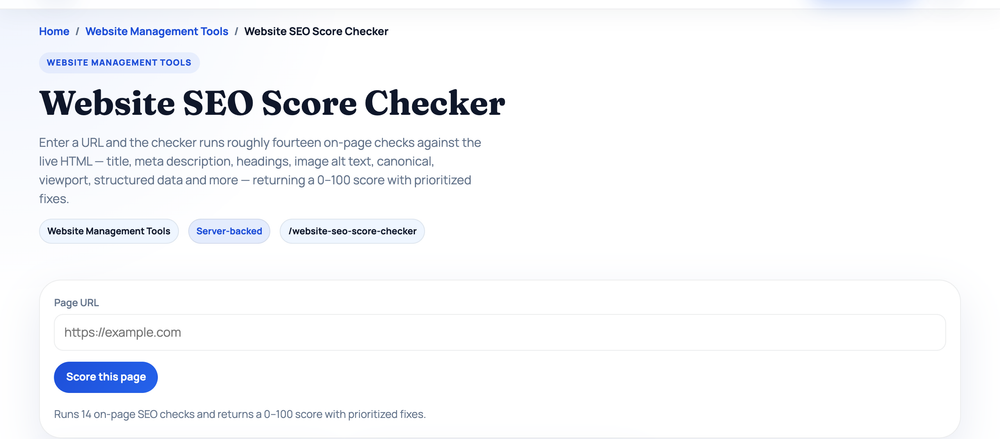
Rather than describe the audit tools in the abstract, here is a real audit of a well-known page, https://www.gnu.org/ (the GNU operating system project), run on 2026-07-17. Step one: the Website SEO Score Checker, which fetches a URL and grades 19 on-page checks in four categories. True output:
URL        https://www.gnu.org/
Score      80/100 — Grade B — "Strong on-page SEO"
Checks     12 pass · 5 warn · 2 fail

Metadata & tags     91/100  title 55 chars (pass) · description 152 chars (pass)
                            no canonical tag (warn)
Content & structure 77/100  1,173 words (pass) · alt text on 12/12 images (pass)
                            0 H1 headings found (fail)
Technical & mobile  86/100  HTTPS (pass) · viewport (pass) · indexable (pass)
                            response time 4.34 s on this run (fail)
Social & rich       50/100  no og:title · no og:image · no twitter:card · no JSON-LD
Read the score as a to-do list, not a grade. Even a strong, decades-old page has concrete gaps: no H1 heading, no canonical tag, and no social-preview tags, so shared links show no thumbnail. Note the tool's own caveat, which it prints with every result: it measures on-page signals only, not backlinks or domain authority — and response time varies run to run.
Step two: the Broken Link Checker on the same page. It fetches the URL and tests up to the first 30 unique links found in the HTML. True output from the same day:
Page             https://www.gnu.org/
Links checked    30        Working  28        Flagged  2
Flagged items    two links timed out (both on www.fsf.org)
Here is a lesson you only learn from real runs: minutes earlier, the same check had flagged a third link with an HTTP 521 server error — and on this re-run it responded fine. "Broken" sometimes means "slow or briefly down", so re-test flagged links before you delete or replace them. Links that fail consistently are the ones to fix.
Step three, speed and mobile. The Page Speed Test wraps Google's PageSpeed Insights and reports both lab metrics and, where available, real-user Core Web Vitals from the Chrome UX Report — the loading, responsiveness, and layout-stability measurements covered in part 6. The Mobile-Friendly Test fetches the page plus its stylesheets and scores mobile-readiness signals in the code: viewport tag, responsive CSS rules, fixed-width layouts, wide tables, and touch controls.
That four-step loop — score, links, speed, mobile, then re-run after each fix — is the whole audit habit. It takes minutes per page.
Job 5: keep an eye on your links
A backlink is a link from someone else's site to yours; search engines treat good ones as signs of trust, with the effect depending on relevance and quality (the full story is part 9: domain authority and links). Two free tools help here, and it is worth being precise about what they do. The Backlink Audit Tool analyzes a link sample you give it — paste a backlink export from Search Console or another tool, a URL list, or the HTML of a referring page, or let it fetch the outbound links from one live page. It breaks the sample down by referring domain, anchor text, and follow/nofollow status. It has no crawl index of its own, so it cannot discover links you do not feed it — for discovery, Search Console's free Links report is the source of truth.
The Domain Strength Checker accepts up to six domains and returns an authority estimate for each from Open PageRank, a free public link-graph metric, scaled to the familiar 0–100 range. Use it to compare candidate sites when you are deciding where to pitch a guest post — and remember that all third-party authority scores are comparison estimates, not something Google uses.
The one tool that is not on this site
Google Search Console is free, made by Google, and irreplaceable: it shows the real queries your site appears for, real clicks and impressions, indexing problems, and it is where you submit your sitemap. Everything on this page is the workshop; Search Console is the dashboard that tells you whether the work is landing. Setting it up and reading its reports is part 11, and if you serve customers in a physical area, part 10: local SEO adds the Google Business Profile side.
Free vs paid, honestly
Free tools are excellent for doing the work: writing meta tags, validating technical files, auditing pages, spot-checking keywords and links. Paid suites pull ahead on scale and history — tracking thousands of keywords daily, backlink indexes that discover links for you, rank charts going back months. For most small sites and solo owners, the free stack plus Search Console covers the large majority of what actually affects results. Upgrade when you have genuinely outgrown it — when you are managing hundreds of pages or need daily rank tracking — not before.
A routine that keeps you honest
Tools only help if you act on them, so pin the work to a rhythm. There is no official schedule; as a rule of thumb that fits most small sites:
- When you publish or edit a page: preview the snippet, run the density check, and run the SEO Score Checker on the live URL.
- Monthly: skim Search Console for indexing errors and falling queries; run the Broken Link Checker on your key pages.
- Quarterly: re-test speed and mobile, review your backlink sample, and re-check robots.txt and the sitemap.
- After any redesign or migration: everything above, immediately — this is when crawl-blocking mistakes and broken links appear.
You now have the whole path
This guide closes the learning path. Each concept the tools above measure has a full guide behind it: keyword research (1), on-page SEO (2), the technical SEO checklist (3), robots.txt (4), XML sitemaps (5), Core Web Vitals (6), schema markup (7), duplicate content (8), domain authority (9), local SEO (10), and Search Console (11). Good SEO is mostly consistent execution of these basics, and the basics are free — pick one job above, run the tool on a real page of yours today, and fix what it flags. The full path index lives on the blog page whenever you want to revisit a part.
Sources and official references
Use these external references to verify the guidance and terminology in this article.
Frequently asked questions
Are free SEO tools good enough to rank a website?
For most small and medium sites, yes. Free tools cover the high-impact work — meta tags, technical setup, audits, and keyword and backlink checks. Paid suites mainly add scale and historical tracking, which matter more once you are managing many pages or keywords.
Which free SEO tool should I use first?
Start with on-page basics. Check your key pages one at a time with a meta tags analyzer to fix missing or weak titles and descriptions, then make sure robots.txt is not blocking anything and that you have submitted an XML sitemap. Those three steps fix the most common, costly issues.
Do I still need Google Search Console if I use these tools?
Yes. Search Console is free and irreplaceable — it shows your real impressions, clicks, and positions, reports indexing problems, and is where you submit your sitemap. Think of the tools here as the workshop and Search Console as the dashboard.
Is keyword density still important for SEO?
Not as a target to hit. Modern search engines understand topics, not keyword ratios. A density checker is useful for confirming your page reads naturally and actually mentions the topic — not for forcing an exact percentage, which looks like keyword stuffing.
How often should I run an SEO audit?
There is no official schedule — as our own rule of thumb, a quick check monthly and a fuller review each quarter works for most sites. Always re-check after a redesign, migration, or major content change, since those are when crawl-blocking and broken-link issues tend to appear.